
Excellent screen recording/sharing app
ZD Soft Screen Recorder is a screen recording application that will allow you to record and share your screen with ease.
This little program has been around for years, but it's done a great job of improving over time. ZD Soft Screen Recorder started out as a modest app, but it's become a great tool that both looks and acts like a much more expensive program.
Each ZD Soft Screen Recorder operation is accompanied by a Capture Wizard, which makes the process supremely simple (you don't have to use it if you're feeling independent, though!). Here you'll see the options to create a screencast, capture a video, record gameplay and even share your screen. In many cases, you would actually need separate software to carry out these processes, but not with ZD Soft Screen Recorder!
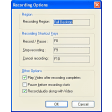
The actual recording process is very simple. ZD Soft Screen Recorder explains it each step of the way. You'll also be able to control the recording using F8, and by using the minimized controls in the taskbar. Remember that ZD Soft Screen Recorder is a pretty intuitive app, so if you're recording from VLC, for example, it will automatically focus on the VLC window.
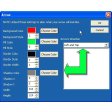
ZD Soft Screen Recorder also has pretty comprehensive audio and video settings, which should keep even advanced users happy. Of course, there are slightly less technical options you can tweak too, and if you have no interest in the nitty gritty, ZD Soft Screen Recorder will make the decisions for you. In fact, the only problem with ZD Soft Screen Recorder is that the number of formats you can save video and screenshots is a little limited. Of course, with videos in both .AVI and .WMP, you have most bases covered, but if you want any other format, you'll have to use a separate converter like Format Factory.
ZD Soft Screen Recorder is an excellent recording program for screencasts, videos and games.
Bug fixes
Changes
Bug fixes






























User reviews about ZD Soft Screen Recorder
by Anonymous
REALLY GOOD SCREEN RECORDER..
ITS REALLY GOOD FOR GAMING AND I LOVE THAT THE SCREEN RECORDER HAS A WEBCAM TO GO WITH IT, WHICH I THINK IS PRETTY AWESOME. BUT THE ONLY THING THAT I WOULD SAY IS THAT I WOULD LIKE THE RECORDINGS TO BE A BETTER QUALITY.
Pros:
THE WEBCAM
AND SCREEN RECORDING
Cons:
THE QUALITY OF THE RECODINGS
AUTOMATIC UPLAOD TO YOUTUBE More
by Anonymous
haven't.
i haven't downloaded this yet. mybye try. mabye... but i ant another like,hypercam,orlitecam. mabye camstuido